Getting Started
Teams
Getting Started with Market Leader Teams for Team Leaders
Getting Started with Market Leader Teams for Team Members
Getting Started with Your Shared Marketing Center for Teams
Add an Agent to a Teams Account
Removing an Agent from a Teams Account
Lead Routing for Teams Agents
Personalize Your Marketing Email Footer for Market Leader Teams
Listing Alerts for Teams Agents
Create and Manage Groups for Team Members
Contacts Details for Team Account Members
Sharper Agent
Market Leader Professional
Network Boost Checklist
Leads Direct Checklist
HouseValues Checklist
Getting Started Email Series
Profile
Email Settings
My Account
Add Agent MLS ID
Add Office MLS ID
Manage Your Activity Alerts
Manage Your Billing and Shipping Information
Add Your Profile Photo and Agency Logo
MLS Integration
My Account Settings
Daily Activity Email
Market Leader Mobile App
Profile Settings
Profile Settings for Sharper Agent
Contacts
Lead Intel
Hand Raises
To Do's
Recently Active Contacts
Navigating Your Dashboard
Readiness Score on Your Leads
Contact Data Enrichment
Contact Details
Add a Contact
Edit a Contact
Contact Address
Listing Alerts
Contact Search
Import Contacts
Export Contacts
Contact Types
Contact Status
Create and Manage Groups
Bulk Updates to Contact Records
Contact Welcome Email
Send a Quick CMA
Add Contact Notes
Send MLS Listings to Contacts
Delete a Contact
Personalize Your Emails
Send an Email
Managing Emails in Your Market Leader System
How to Schedule an Email
Add Images to Your Emails
Add Contacts to Your Email
SMS
SMS Setup Essentials
SMS Setup for Individual Account
SMS Setup for Team Account
Receiving Opt-In Consent for SMS Messages
SMS in Nurture Campaigns
Responding to SMS messages
Website
Website Setup Wizard
Choose Your Website Layout
View or Edit Your Website
Website Logo and Hero Image
Personalize Your About Page
Customize Your Home Page
Create a Custom Page on Your Website
Customize Your SEO Titles and Descriptions
Website Widgets
Site Activity
Add or Edit the Communities You Serve
Add Client Recommendations to Your Website
Delete a Recommendation
Add an Image to Your Website
Adding a Video to Your Website
Creating a Blog Post for Your Website
Website Listing Search Options
Add a Facebook Pixel
Manage Your Featured Partners
Generate Leads Using a Search Widget
Customize Your Website Pages & Menus
Select Your Domain
5 Reasons Why You Should Be Blogging
Change Your Nameservers on GoDaddy
Customize Your Sell Page Text
Website Sections
Lead Capture Widget
Listings
Listing Details
Market Your Listings
Create a Custom Property
Showcase Properties With a Single Property Website
Listing Marketing Automation
Marketing Center
Getting Started with Your Marketing Center
Welcome to Your Marketing Center
Getting Started with Your Marketing Center
Using the Marketing Email Editor
Upload a Mailing List
Share a Marketing Email Design on Social Media
Create a Hyperlink
Using the Image Manager
Find a Saved Design
Order Professional Printing
XpressDocs Print Pricing Guide
Print Marketing - Printing Terms and Conditions for XpressDocs
XpressDocs Shopping Cart FAQ
Campaigns
Campaign Types
Campaign Status
Create a New Campaign
Find a Saved Campaign
Edit a Saved Campaign
Create a Custom Campaign
Customize Your Campaign
Add a Contact to a Campaign
Add a Postcard to a Campaign
Add an Activity to a Campaign
Add a Step to a Campaign
Add an Email to a Campaign
Campaigns FAQ
Design Library
Using the Marketing Design Editor
Create a Greeting Card
Create a Flyer
Create a Marketing Email
Email a Marketing Design
Create a Marketing Guide
Create a Postcard
Add Contacts to a Print Design
Create a Listing Enabled Design
Create a Sellers Home Valuation Request
Create a Transparent Image
Personalizing and Activating a Marketing Email Footer
Print a Marketing Design Yourself
Coaching
Lead Engagement
Turning Leads into Gold
Network Boost: Grow Your Network With Social Media Lead Generation
Working with Online Leads
We're Getting Engaged!
When Seller Meets Buyer
Buy Baby Buy
We've Got a Script for That
Master Your New Lead Follow-up
Social Media Marketing
Get Savvy with Social
Forging Your Social Media Strategy
Social Media Content Trends to Spark Engagement
Video Makes a Real Estate Star
Website Marketing
Marketing Strategy
Be the CMO of Your Business
Create and Automate with Market Leader
Whats Your Marketing Story, Morning Glory
System Tools
Ignite Key System Tools to Work Smarter Not Harder
Your Market Leader Toolbelt
Leveraging Your NEW Dashboard and Recent Updates for Maximum Impact
Strategy & Planning
Setting Your 2023 Business Plan
Understanding Today's Consumer
Create a VIP Experience for Your Sellers
Expert Panel - Your Questions Answered
NAR Settlement Impact: What to Start Doing Today
Agent Spotlight - Building a Million Dollar Pipeline with Tracey Todd
Shift Happens - How to Thrive in Any Market
Millennial Homebuyers and the Path to Ownership
Million Dollar Pipeline Program
Scripts
Buyer Engagement Scripts
Seller Engagement
Essential Seller Scripts
Opening and Discovery Scripts
Objection Handling Scripts
Contact Unsubscribed
Re-Engagement Scripts
Engage Your Way to the Top
Initial Response Scripts
Our Best Email Templates
Integrations
Lead Stream
Google Analytics
Google Contact Sync
Office 365 Contact Sync
Craigslist Posting Tool
Activate Zillow Tech Connect for your Market Leader System
Add Your Market Leader Email Address to Your Homes.com Profile
Add Your Market Leader Professional Email Address to Your Realtor.com Profile
Add Your Market Leader Professional Email Address to Your Brivity.com Profile
Add Your Market Leader Email Address to Your Listings To Leads Profile
Lead Products
The Journey of a Lead Through the Market Leader System
The Journey of a Lead Through the Market Leader System [Video]
Network Boost
Network Boost Lead Experience
Leads Direct Lead Experience
HouseValues Lead Experience
Manually Send HouseValues Reports
Get Leads
Customer Service
Table of Contents
- All Categories
- Contacts
- Lead Intel
- Readiness Score on Your Leads
Readiness Score on Your Leads

What if you could get a sense of how ready a new lead might be to make a move, before they've opened a single email? That's where Readiness Score comes in.
Readiness Score is a new insight on the contact page for the leads Market Leader delivers to you. It brings in signals from beyond your CRM that suggest how ready a contact may be to make a real estate move, so you have one more clue for who to reach first and how to start the conversation.
What you'll see
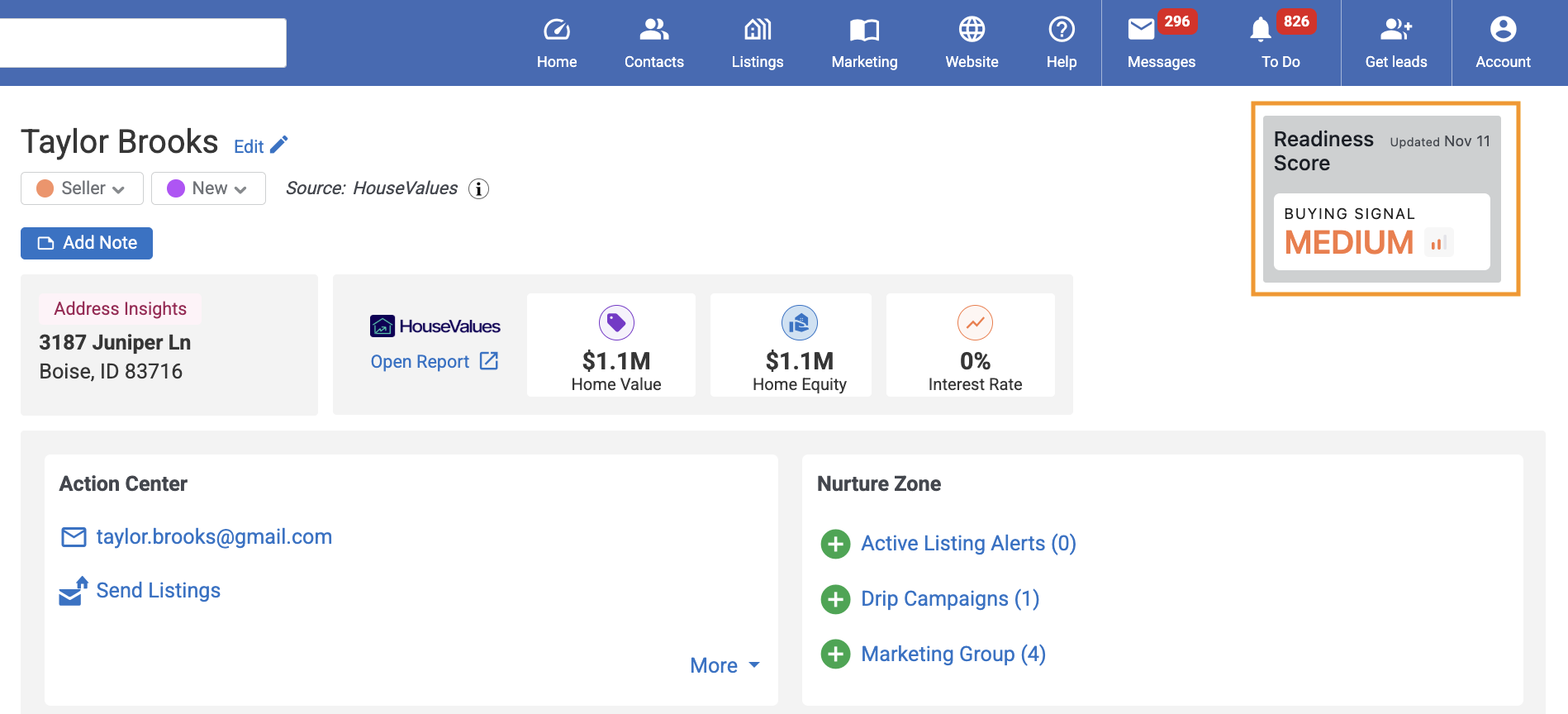
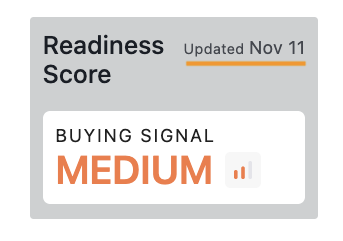
Readiness Score starts with one signal, Buying Signal: how likely the household at the lead's address is to buy real estate in the next 180 days. It shows as High, Medium or Low, with the date it was last updated.
Where to find it
- In Market Leader, go to Contacts.
- Open a new HouseValues, Leads Direct, Network Boost, or Website lead.
- Look at the top right of the contact page, next to the contact's name.
You'll find it in the same spot when you open the contact page on a tablet or phone. Hover over the info icons next to Readiness Score and Buying Signal for a quick reminder of what each one means.
How to read High, Medium and Low
When you see | What it means | Your move |
High | A stronger likelihood that this household buys real estate in the next 180 days | Reach out soon. Ask about their timing and what they're looking for. |
Medium | A moderate likelihood | Keep them in your follow-up, and watch for a move up to High. |
Low | A lower likelihood, based on the data available today | Keep nurturing. Plans change, and this signal is checked every morning. |
How it fits with your lead's activity
Market Leader already shows you what your leads do in your Activity Feed: Equity Report views and interactions (for HouseValues leads), visits to your website, listing alert clicks, the listings they favorite, and their replies to your emails and texts. That activity is a great guide once a lead starts engaging.
Buying Signal adds something different: data from beyond your CRM about the household itself. It's there on a brand-new lead, before they've done any of that, so it can help you decide where to start. Use the two together for the full picture.
How it updates
On a brand-new lead, Readiness Score appears shortly after the lead arrives. After that, it's checked every morning, and the Updated date shows when it was last checked. If an update is delayed, you'll keep seeing the latest signal and its date until the next check.
Why some leads don't show it
You'll see Readiness Score on new HouseValues, Leads Direct, Network Boost, and Website leads delivered from November 11, 2026 onward, when we can match the lead's property address. It doesn't appear when:
- the lead arrived before November 11, 2026
- there's no property address on the lead. Leads Direct, Website and Network Boost leads often come with just a name and contact details, so many of them won't show a score yet
- we can't match the address, or no data comes back for it
In those cases the section stays hidden, and nothing else on the lead changes.
Which address we use: if a lead doesn't share their address, Market Leader looks for one. Address Insights on the contact page shows the address the lead gave you or, if they didn't share one, the address Market Leader found. On the Details tab, an address Market Leader found is marked Sourced by Market Leader. If you add or update the address, Readiness Score checks it again.
Where the data comes from
Readiness Score uses third-party data from our partners, matched to the lead's property address. It's separate from the activity Market Leader already tracks in your CRM, which is why it can tell you something new.
More signals are on the way
Buying Signal is the first of several signals we're adding to Readiness Score. As new ones arrive, more of your leads will show a score, and we'll update this article.
Tell us what you think
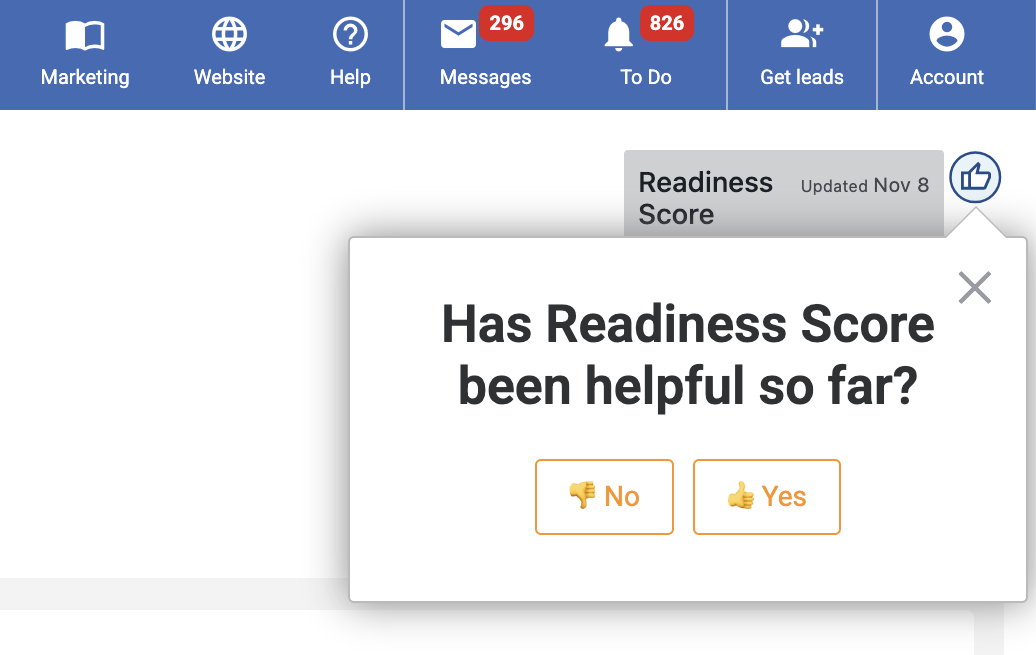
After you've seen Readiness Score a few times, a quick question may pop up asking whether it's helpful. A thumbs up or down, plus a comment if you like, helps us shape what comes next.